
Add-Ons
HexScrawl supports two kinds of add-ons: Asset Bundles and Frontend Extensions. Asset Bundles do not require technical knowledge to create; Frontend Extensions generally do.
Table of Contents
Asset Bundles
Asset Bundles add new tilesheets, terrain types, markers, and/or trim (rivers, cliffs, roads, etc).
To install an asset bundle, click the button in the Assets tab in the app settings menu (click the gear in the top-left), or copy the assets into the Asset Folder.
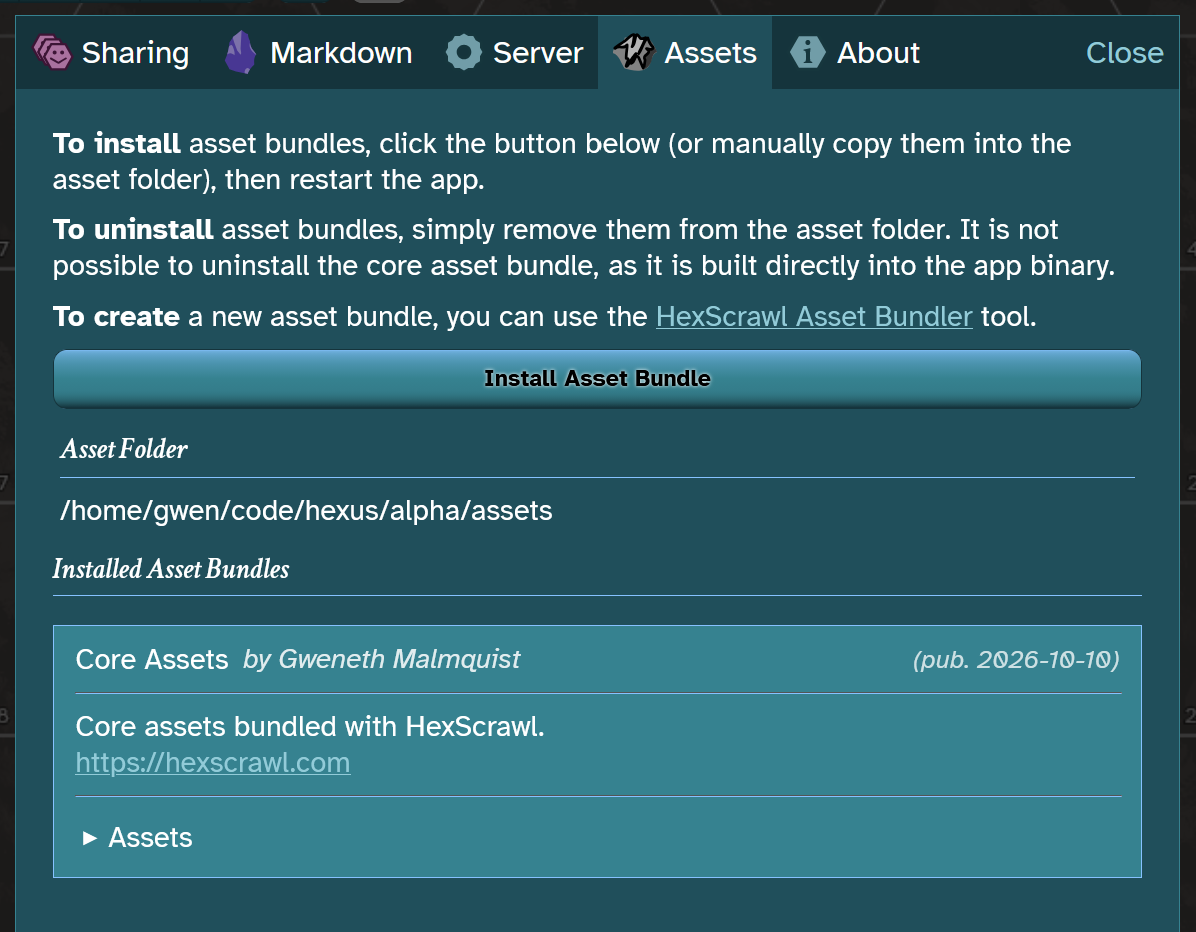
You can change the location of the asset folder by adding the command line arguments:
-a /my/custom/asset/directory/path
To create an asset bundle, it is recommended to use the asset bundler tool built into the app. You can access it through the link in the Assets tab in settings, or you can access the latest version online here: HexScrawl Asset Bundler.
You own asset bundles you create using your own art and the core art assets packaged with HexScrawl. If you incorporate third party intellectual property, additional restrictions may apply. Refer to the HexScrawl EULA for full legal details.
Frontend Extensions
Frontend Extensions add or overwrite frontend code using standard html, javascript, and css.
To create or install a Frontend Extension, add files to the Web Folder (create it if it does not already exist). You can find the location of the web folder in the Server tab in the settings menu.
Installing Frontend Extensions is risky, as they execute arbitrary frontend code. This could (for example) corrupt map save files, or break the app completely until you delete the extension files. Make sure you only install extensions from trusted sources.
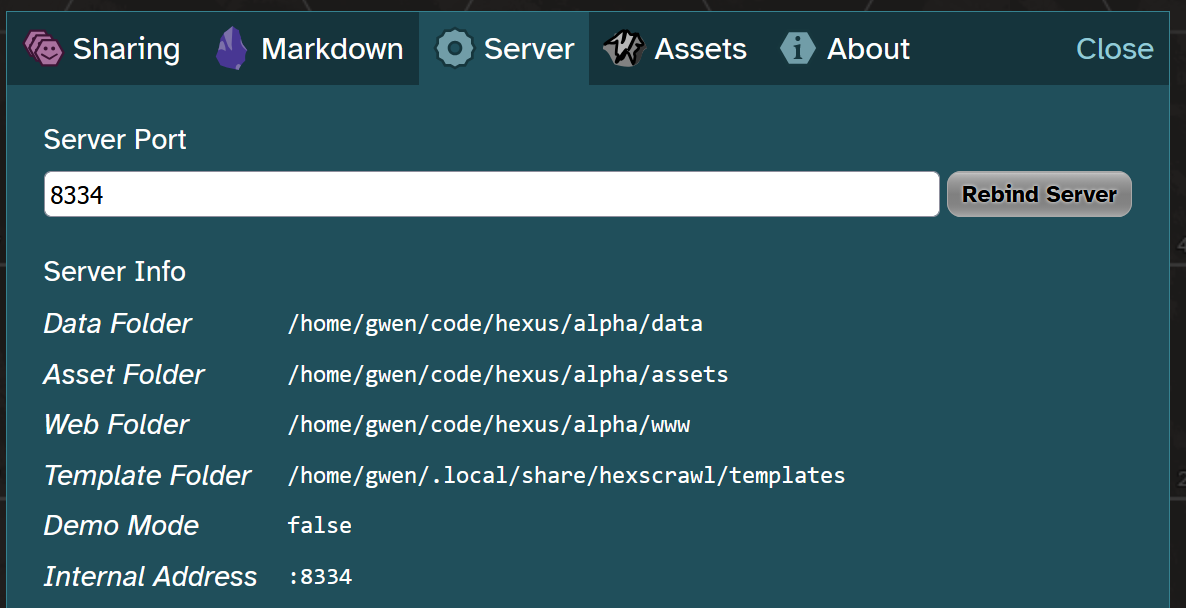
You can change the location of the Web Folder by adding the command line arguments:
-w /my/custom/web/directory
Creating Frontend Extensions requires a degree of technical aptitude with html, javascript, and css. The base code of the app is not currently documented, and its API is not guaranteed to be stable. Extension creators are responsible for maintaining their code to be compatible with the latest version of HexScrawl (or at minimum, expressly stating to the user what versions it is compatible with).
The contents of the Web Folder are directly served by the frontend, such that the index page serving the base app is at [Web Folder]/index.html. The structure of this directory is not documented or stable; you can use the browser developer console in the HexScrawl Demo to inspect the structure and function. You can use the 'App' global variable to access the instance of the app class (see https://demo.hexscrawl.com/app.js), from which you can access all the core internal state and functionality built into HexScrawl.

Fonts licenses: Atkinson Hyperlegible and Crimson Text.
© 2026 Gweneth Malmquist, all rights reserved